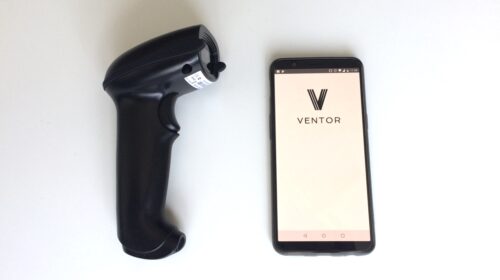
In many warehouses, the same products are scanned twice: first during picking and then again during packing. While this may seem like a necessary step, it can create additional work for warehouse employees, especially when processing large batches of orders.
If your warehouse uses cluster picking and collects products into separate reusable totes, there is a more efficient way to handle packing in Odoo.
With Ventor PRO, warehouse employees can use the Package Management menu to identify source totes, confirm that all packages belonging to a transfer are present, and pack the products without scanning every item again.
Let’s take a closer look at how this workflow works.
The problem: scanning the same products twice
Consider a typical warehouse workflow.
During cluster picking, an employee collects products for several orders and places them into separate totes. Once picking is complete, these totes are delivered to the packing station.
At this point, the warehouse employee already knows that the products have been scanned and collected during picking.
However, in a traditional packing workflow, employees may need to scan the same products again to verify the contents of each order.
This creates duplicate work:
- Products are scanned during picking.
- The same products are scanned again during packing.
- Employees spend additional time repeating an operation that has already been completed.
For warehouses processing many orders, eliminating unnecessary scanning can make the packing process more efficient.
A smarter packing workflow with Ventor PRO
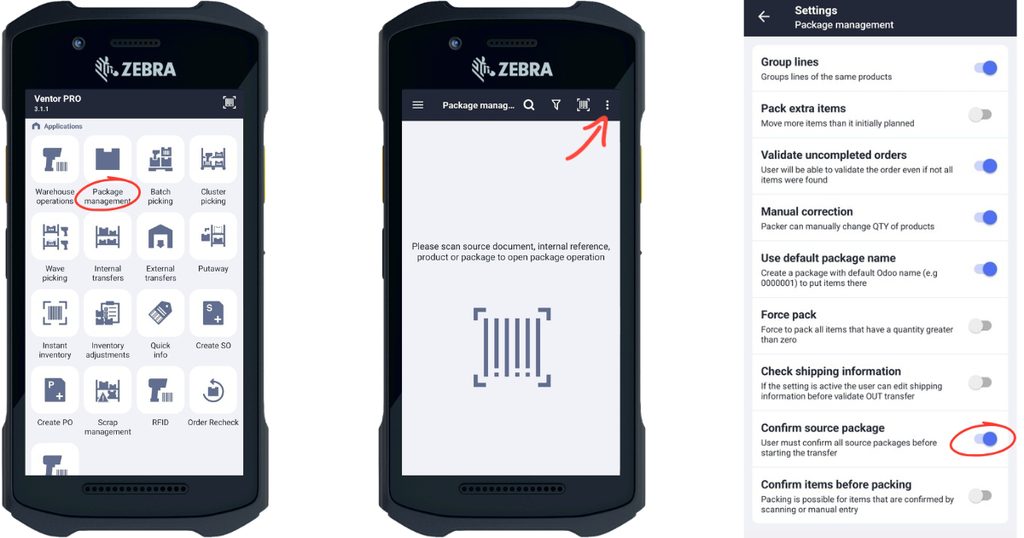
Ventor PRO offers a different approach through its Package Management menu and the Confirm Source Package setting.
Instead of scanning individual products again, warehouse employees can identify the source totes associated with a transfer and use them to complete the packing process.
Here’s how it works.
Step 1. Collect totes after cluster picking
First, warehouse employees perform cluster picking and collect products into separate reusable totes.
Once the picking operation is complete, the totes are brought to the packing station.
Each tote contains products already scanned during the picking process, so there is no need to repeat product scanning when packing the order.
Step 2. Scan a tote and find the related transfer
Open the Package Management menu in Ventor PRO.
Scan one of the source totes to find the related transfer in Odoo.
Open the transfer to continue with the packing process.
Step 3. Confirm that all source totes are present
Before packing, check that all totes associated with the transfer have arrived at the packing station.
This is an important step because products from different totes may belong to the same transfer.
With the source package confirmation setting enabled, Ventor PRO checks that the required source packages are present before allowing the employee to proceed.
If a tote is missing, the employee cannot continue with the packing process. This helps prevent incomplete transfers from being packed and validated accidentally.
Step 4. Pack products without scanning them again
Once all source totes have been confirmed, the employee can start packing.
Simply pour the contents of the reusable totes into the delivery package and press the Put-in-pack button in Ventor PRO.
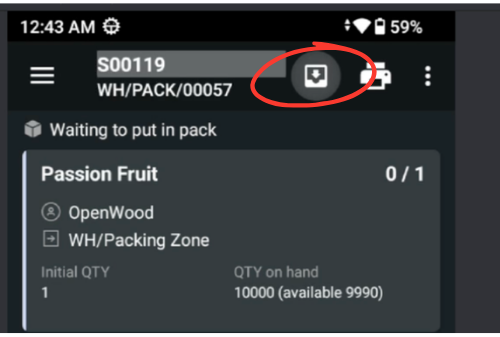
There is no need to scan every product individually because the items have already been processed during picking.
Step 5. Automatically validate the transfer
After the products have been packed, Ventor PRO automatically validates the transfer.
The packing process is complete, without repeating the product scanning operation.
In the demonstrated workflow, the employee needs only two scans to complete the operation while maintaining control over the source packages.
Why use this packing method?
Using source package confirmation in Ventor PRO can help warehouses simplify their packing workflows, particularly when working with cluster picking and reusable totes.
The main advantages include:
No duplicate product scanning
Products scanned during picking don’t need to be scanned again during packing. Employees can focus on transferring items from source totes into delivery packages.
Faster packing operations
Instead of processing every product individually, warehouse employees identify the source packages and proceed directly to packing.
Better control over source packages
Ventor PRO checks that all totes associated with a transfer are present before the employee can continue. This helps prevent missing packages from being overlooked.
A more efficient picking-to-packing workflow
The process makes better use of the work already completed during picking and connects it directly to the packing operation.
Watch the workflow in action
Want to see how to pack Odoo transfers using source packages instead of scanning individual products?
Watch our video tutorial to see how the Package Management menu and source package confirmation work in Ventor PRO.
Simplify your Odoo warehouse operations with Ventor PRO
Ventor PRO is a professional warehouse management and barcode scanning application for Odoo, developed by VentorTech, an Odoo Gold Partner.
From picking and packing to inventory adjustments, internal transfers, and other warehouse operations, Ventor PRO helps businesses streamline their daily workflows using mobile devices and barcode scanners.
If your warehouse uses cluster picking and reusable totes, try this packing method and reduce unnecessary scanning.
Ready to take your Odoo warehouse further?
Make every scan count!

------------------------------------------------------------------
Education: University of Lodz
------------------------------------------------------------------
Experience:
Product Marketing Manager
------------------------------------------------------------------
Current position: Product Marketing Manager
------------------------------------------------------------------
The Global Mini MBA