The Healthcare Industry Barcode (HIBC barcodes) is a barcode standard designed specifically for the healthcare industry. This works as an effective and reliable tool for labeling pharmaceuticals, a variety of medical devices, and other medical products. The importance of these barcodes is that they include information about production dates, serial numbers, and expiration dates. This greatly simplifies not only the control of medical products but also inventory and cost management.
There are many more advantages to using HIBC than one might think at first glance, and in order to realize the benefits, you need to find reliable solutions that support these barcodes, such as the Ventor app. In this article, we will take a detailed look at HIBC barcodes, explain their main advantages not only in medicine but also in other fields, and share modern business solutions that support HIBC while also providing many other useful features.
Understanding HIBC Barcodes
First of all, it is important to note that all barcodes are divided into one-dimensional and two-dimensional barcodes. The former are built in the form of vertical black stripes with white gaps, and the latter are in the form of small black squares on a white background. The latter are more popular since they are able to encode information both horizontally and vertically. Although these barcodes are most commonly used in healthcare, the importance of HIBC in warehouse management should not be underestimated.
HIBC barcode standards for healthcare
This set of standards was developed by the Healthcare Industry Business Communications Council for the purpose of labeling and identifying medical products and devices. As such, the HIBC standards include the use of the following barcodes:
In addition, compliance with the HIBC Supplier Labeling Standard is mandatory, since it defines the format of barcode labels and data elements.
The HIBC barcode standard covers different types of barcodes, such as:
HIBC UDI (Unique Device Identifier)
HIBC LIC (Label Identification Code)
HIBC PPN (Primary Product Number)
Each of these types serves different purposes in healthcare inventory tracking and supply chain.
HIBC barcode primary use cases
Medication traceability. These barcodes provide the ability to encode information about expiration dates and batches of medical products. In this way, supply chain managers can effectively handle the process while avoiding errors and expired goods.
Medical cost management. HIBC barcodes can be printed on medical expense documents and allow healthcare providers to track patients’ names, dates of treatments, and results of various diagnostic tests, and thus also manage medical expenses.
Healthcare supply chain management. HIBC displays accurate data and provides traceability, so both suppliers and healthcare organizations can track and manage products more efficiently.
Medical equipment management. Medical facilities print these barcodes on medical devices and therefore can track and manage the devices. In this case, the encoded data includes information about equipment types, dates of manufacture, expiration dates, and scheduled maintenance.
Advantages of using HIBC
Accuracy
The accuracy of HIBC barcodes has a direct impact on inventory management efficiency. HIBC enables instant replenishment, prevents stock-outs, and minimizes errors that could be caused by human factors.
Traceability
HIBC barcodes provide end-to-end visibility of the entire supply chain. In this way, a pharmaceutical company is able to trace a specific batch of a drug from production to realization. At the same time, barcode compliance with all safety regulations will be guaranteed.
Compliance
HIBC standard complies with regulatory requirements in the healthcare industry. It helps to ensure product safety, improve patient care, and enable effective recall management. In allowing regulators and healthcare providers to monitor these issues, the barcodes also facilitate the unique identification of medical devices.
When talking about effective inventory management, and company management in general, one can’t help but to mention Odoo—a suite of business applications that helps to solve all the needs of a company of any size. Speaking of supply chain management with barcodes, Odoo Barcode allows you to assign barcodes to both product categories and individual products, as well as track inventory movements. Real-time barcode scanning significantly reduces time spent on processes related to data search.
Ventor is an application that allows you to read and process information from barcodes. Many companies find it to be the most complete barcode scanner application for warehouse management for the Odoo ERP system. The Ventor app barcode scanning helps companies to quickly search the database and find all relevant product information.
The huge advantage of this application is barcode maintenance via Odoo, namely the ability to record barcode-related data, such as item quantity, date of manufacture, expiration date, etc. Other benefits of this application for warehouse operators include seamless scanning and real-time updates. With this application, they can quickly and easily identify items by reading information about the product, manufacturer, and model.
The Ventor PRO app helps improve supply chain accuracy not only in healthcare but in many other fields as well. Retail stores, trading companies, manufacturing, warehousing, and logistics companies also find this application useful, as it allows for the following:
create sales and purchase orders right from the phone as a PDA
pack products the smart way using a handheld and save on shipping
The Ventor app is used by administrators and managers who have found that it allows them to control their inventory on an entirely new level.
Why HIBC Matters for Modern Warehousing
Standardization in barcoding is necessary for many reasons. First, it improves the efficiency and accuracy of barcode scanning. It also reduces costs and lowers the risks of errors and returns. In addition, standardization significantly increases customer satisfaction and trust. HIBC barcodes help improve patient safety, automated supply chain management, and regulatory compliance in healthcare organizations.
HIBC supports efficient and error-free operations. This barcode enables the identification of medical products, including equipment, pharmaceuticals, and consumables. HIBC barcodes encode specific information about the product and, thus, tracking is accurate and reliable. Very often these barcodes contain check digits and other error detection mechanisms, so accurate data decoding is guaranteed. Specifically, HIBC barcode features are critical to prevent data entry errors and improve scanning accuracy.
Odoo barcode integration allows businesses to work more efficiently by controlling the software almost exclusively with the barcode scanner. Now that you know a lot more about HIBC structure and its benefits, the next step toward your company’s success is trying the Ventor app for HIBC support. Rest assured, this is exactly what you need to keep making your operations better!
Inventory accuracy is one of the biggest challenges in warehouse management. Even small discrepancies between physical stock and your ERP can lead to delayed shipments, incorrect purchasing decisions, and dissatisfied customers.
That’s why regular inventory counts are essential. However, traditional inventory methods are often slow, paper-based, and prone to human error.
With Odoo and the Ventor PRO app, warehouse workers can perform inventory counts directly from a mobile device using barcode scanning. Even better, they can conduct blind inventory, one of the most reliable methods for ensuring accurate stock counts.
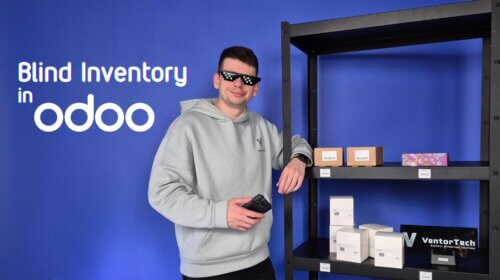
In this guide, we’ll show you how to perform a blind inventory in Odoo using Ventor.
A blind inventory is a stock count where warehouse employees do not see the expected quantity stored in the ERP. Instead of trying to match the system’s numbers, workers simply scan everything they physically find on the shelves. This approach significantly reduces confirmation bias and helps uncover inventory discrepancies that might otherwise go unnoticed.
Rather than asking: “The system says there should be five items. Can I find five?”
Warehouse operators ask: “How many items are actually here?”
For businesses that prioritise inventory accuracy, blind inventory is considered one of the best practices.
Why Use a Mobile Device for Inventory?
Inventory counting with a smartphone or barcode scanner is significantly faster than using paper count sheets or returning to a desktop computer after every count.
Using the Ventor app, warehouse workers can:
scan locations and products with barcodes;
update quantities in real time;
move quickly between warehouse locations;
eliminate manual data entry;
reduce counting errors.
The result is a faster, more reliable inventory process.
Check out the complete guide to conducting a “blind” inventory count in Odoo
Before You Begin
Before starting the inventory count in Ventor PRO, make sure the Counted Quantity field has been reset in Odoo.
Go to Inventory → Operations → Physical Inventory and review the Counted Quantity column. If you’re working with a large inventory (more than 80 lines), select all records before making changes. If any products have been counted previously, clear the Counted Quantity values to ensure the inventory starts from zero. This step is required for an accurate blind inventory.
Step 1. Open the Inventory Adjustment Menu
Start by opening the Inventory Adjustment menu in Ventor PRO.
Here you’ll see the products included in the inventory operation. The mobile workflow is designed specifically for warehouse employees, allowing them to complete counts quickly while moving through the warehouse.
Step 2. Enable Blind Inventory
Before starting the count, enable two important settings:
Start Count From Zero
Hide Products Quantity
These options transform a standard inventory count into a blind inventory.
When Hide Products Quantity is enabled, warehouse workers cannot see the expected quantity stored in Odoo.
When Start Count From Zero is enabled, every product begins with a counted quantity of zero, and the operator simply adds the items they physically find.
This encourages objective counting instead of confirming what the system expects.
Step 3. Scan a Warehouse Location
Rather than searching through the entire inventory list, simply scan a warehouse location. Ventor PRO automatically filters the inventory to show only the products stored in that location.
This makes it easier to focus on one shelf or storage area at a time and keeps the counting process organised. For warehouses counting only a specific zone instead of the entire facility, location filtering can save a considerable amount of time.
Step 4. Scan Every Item You Find
Now the actual counting begins.
The process is straightforward:
Scan a product barcode.
Scan additional units if needed.
Enter or confirm the counted quantity.
Apply the result.
Move to the next product.
The important point is that operators don’t know how many items should be there.
Their only task is to record what physically exists on the shelf.
Every count reflects the physical inventory not the ERP’s expectations.
Step 5. Repeat for Every Location
Repeat the same workflow until every required shelf has been counted.
Because everything is performed on a mobile device, there’s no need to carry paperwork or return to a workstation between locations.
One of the biggest risks during inventory counting is unconscious bias.
Imagine the ERP shows four items in stock. A warehouse worker finds five. If the expected quantity is visible, there’s a temptation to assume one item was counted twice and “correct” the count to match the system.
With blind inventory, that temptation disappears. Operators simply record reality. If five items are physically present, the system receives a count of five—even if Odoo expected four.
This approach helps identify genuine inventory discrepancies instead of hiding them.
Scan Products or Scan Locations
Ventor supports multiple counting workflows.
Warehouse employees can:
scan a warehouse location to display all products stored there;
scan an individual product directly;
combine both methods depending on the inventory scenario.
This flexibility allows businesses to adapt the counting process to different warehouse layouts and operational needs.
Benefits of Mobile Inventory Counting in Odoo
Using the Ventor PRO app for inventory counting provides several advantages:
Faster inventory counts
Barcode-based verification
Reduced manual data entry
Improved inventory accuracy
Real-time synchronisation with Odoo
Efficient location-based counting
Easy adoption for warehouse staff
Support for blind inventory best practices
Whether you’re performing cycle counts, partial inventories, or full warehouse stocktakes, mobile barcode scanning makes the entire process faster and more reliable.
As warehouse operations grow, maintaining accurate inventory becomes increasingly important. Manual counting methods and paper-based processes can quickly become bottlenecks, leading to costly errors and wasted time.
With Ventor PRO, warehouse teams can perform blind inventory directly from a mobile device, using barcode scanning and real-time synchronisation with Odoo. The result is a faster, simpler, and more accurate inventory process that scales with your business.
If you’re looking to improve inventory accuracy in Odoo while making life easier for your warehouse staff, mobile inventory counting is a practical place to start.
We’d like to share the latest news regarding your Ventor Pro and Custom Builds subscription.
In January 2025 we set our pricing at €149 per license. At the time, this applied to new customers, while long-standing subscribers like you stayed on your existing rate. Starting October 1, 2026, we’ll be bringing all subscriptions in line with this current pricing of €149 per license.
Ahead of your renewal, we’ll send you clear instructions on actions you need to take to extend your subscription according to the new pricing policy, so your access continues without interruption.
We’ve kept pricing unchanged for our long-term customers for as long as we could, and we truly appreciate your continued trust in Ventor Pro. If you have any questions in the meantime, our team is here at support@ventor.tech.
Thank you for being part of the Ventor Pro community.
To encode RFID tag data and use RFID technology in Odoo Inventory, you need an RFID-enabled device and software that supports RFID workflows. With Ventor PRO, you can encode RFID tags, write product information to them, and perform warehouse operations directly in Odoo. This guide walks you through the complete process, while our video tutorial demonstrates every workflow step in action.
How to configure RFID tags in Odoo warehouse step-by-step
Scenario 1: Applying Supplier RFID Tags to Products Managed in Odoo
This scenario is relevant for companies that have recently started managing products in Odoo and receive items with RFID tags pre-encoded by suppliers.
We recommend using Zebra scanners with built-in RFID readers, as they are reliable, widely proven in the field, and fully supported by the Ventor mobile application.
If the supplier provides the product barcode and Serial Number, simply enter these values into the appropriate fields of the product form in Odoo. The scanner will then automatically recognize the product when reading the RFID tag.
If barcode and Serial Number information is not provided, you can extract the data directly from the tag. Using any RFID-related menu in the Ventor app, scan the tag and the application will decode its contents automatically.
When performing receiving operations in Odoo via Ventor, tags without corresponding barcodes in the database will appear as discrepancies. In this case, copy the decoded barcode, add it to the product in Odoo, save the product, and scan again. The tag will then be correctly recognized.
RFID menu ➡️ Transfers ➡️ Scan receipt picking ➡️ Scan tagsNo barcode was stored in Odoo for this product yet ➡️ Add to Odoo
Scenario 2: Creating and Encoding Your Own RFID Tags
If suppliers do not provide RFID tags, you can easily generate and encode them using the Ventor mobile application.
To write tags:
Open the RFID folder and select the Write tags menu.
Choose a product. It must have a barcode stored in Odoo.
Scan the tags you want to encode. All scanned tags will appear on the screen.
Optionally exclude selected tags using the available checkbox.
Aim the scanner at the tags and tap the WRITE TAGS button.
All selected tags will be encoded with a single click.
Note:The barcode written to the tag is in EAN-14 format and begins with a zero, while the barcode in Odoo is typically in EAN-13 format. There is no need to adjust the format manually in Odoo.
To verify the results, perform an Inventory Adjustment using the Ventor app. The product will be correctly recognized when scanning the newly written tags.
Scenario 3: Working with RFID Tags That Use Non-Standard Encoding
Some suppliers use EPC encoding formats that cannot be decoded automatically. In these cases, the application will not be able to extract a barcode from the tag.
As a workaround, you can add the EPC value from the tag to the Serial Number field of the product in Odoo. Ventor will then match the tag to the product based on this Serial Number.
The workflow:
Scan the tag in the Transfers menu.
The tag will appear as an unknown EPC encoding.
Copy the EPC value and paste it into the Serial Number field of the corresponding product in Odoo.
Save the product and scan the tag again.
The product will now be correctly identified.
These scenarios demonstrate how to start using RFID tags with Odoo ERP and how to manage standard, custom, and self-generated RFID tag data using the Ventor mobile application. This approach significantly speeds up warehouse operations and minimizes manual data entry.
You can watch the full instructional video to see each scenario in action and better understand the workflow. If you have questions or want to explore RFID solutions for your business, feel free to contact our team.
BuildMyPlace is a fast-growing company based in Louisville, Kentucky, led by Rahul Anand. Their business model can be described as the “IKEA of building materials.” Operating as a direct-to-consumer (D2C) brand, the company offers a wide range of home improvement and renovation products: from kitchen cabinets, flooring, and tiles to doors, windows, bath fixtures, and lighting.
BuildMyPlace warehouse and store
Some of BuildMyPlace’s products involve complex manufacturing and assembly processes. That’s why it was crucial for the team to find a solution that could bring transparency and efficiency to every stage — from production to final delivery.
“As we grow, our goal is to evolve these functionalities and make both the shop floor and assembly floor seamless,” says Rahul.
Initial Challenges with Odoo
Like many businesses, BuildMyPlace faced limitations with the out-of-the-box Odoo system, especially in the area of warehouse management.
This is where VentorTech and the Ventor PRO app came into play. For more than seven years, the app has been a critical part of their operations. “Ventor has been a great asset, constantly evolving and adding new features that are vital for real-world business scenarios where core Odoo falls short,” Rahul explains.
“VentorTech helps us keep all these processes seamless, from picking and packing to returns and receiving,” Rahul shares.
More Than Technology: A True Partnership
One of the key advantages Rahul highlights is VentorTech’s ability to bridge the gap between technology and real-world use cases. Many IT agencies or consultants understand software but fail to adapt it to business reality.
“That’s where VentorTech really stands out. They not only know the technology but also deeply understand the challenges companies like ours face. It’s been a great partnership,” says Rahul.
The experience of BuildMyPlace proves that successful digital transformation requires both the right tools and the right partner. VentorTech continues to help businesses worldwide simplify, optimize, and scale their operations with Odoo.
One common task in warehouse management is moving packages from one location to another. But what if you don’t want to scan each item inside a package? Good news—you don’t have to.
In this quick guide, we’ll walk you through how to move an entire package in Odoo using the Internal Transfer Menu, without scanning individual items.
⚠️ Please note that this guide applies to Odoo versions up to and including 18
Move an Entire Package Demo
📦 Move a Whole Package in a Few Simple Steps
Instead of scanning every single item inside a box or pallet, Ventor PRO allows you to scan the package barcode and move the entire contents at once. This saves time and reduces human error in your warehouse operations.
1️⃣ Select the Package to Move Start by choosing the box or pallet. In our case, we selected a nicely labeled package with a barcode and multiple tea products inside.
2️⃣ Open the Internal Transfer Menu In Odoo, navigate to the Internal Transfer section. Although there are multiple fields (such as source location, products, etc.), we only focus on scanning the package barcode.
3️⃣ Scan the Package Barcode Once scanned, Odoo identifies the current location of the package. For example, our package was originally located on Shelf 2 and had the ID 2040931.
4️⃣ Choose the Destination Location Next, scan the barcode of the new location—like Bin 2 on the same shelf or another location entirely within your warehouse. Odoo will instantly prepare to move the entire package there.
5️⃣ Confirm the Move After confirming the action, the package (along with all the products inside it) is automatically updated in the system as moved. No need to touch or scan the individual items inside.
✅ Verify the Transfer
To double-check the move, use the Quick Info Menu. Just scan the package barcode again, and the Ventor app will show you all items currently inside the package, along with their updated location. It’s fast, simple, and accurate.
Why This Matters
This workflow is perfect for teams managing bulk inventory or frequently relocating items across storage zones. It reduces time spent on manual scanning and helps maintain an organized, real-time view of stock locations.
Don’t forget to check out Ventor PRO—our professional inventory management tool designed to make Odoo even more powerful and user-friendly.
For several years now, Artificial Intelligence (AI) has been changing not only our daily lives but also how we do business and manufacturing. While the first thing most people associate with AI is simplification, what we are looking at, in fact, is a complex set of interconnected components combined in various ways. Regardless of composition, AI is gaining relevance in the logistics industry, helping to optimize workflows and significantly improve efficiency. With the help of modern AI tools, the speed and quality of order processing are enhanced as errors are reduced. Such improvements decrease the load on support teams, due to automation of accurate work performed by software and related mechanisms.
Warehouse operational efficiency is critical for maintaining overall productivity, and it is exactly AI that provides this efficiency. A wide range of modern warehouse solutions currently exist on the market, such as Ventor PRO—a solution that is trusted by a huge number of successful companies. In this article, we elaborate on the importance of AI in competitive warehouse operations and share tips for using the most modern solution to significantly simplify your company’s operations while increasing efficiency.
Benefits of AI in Warehousing
When talking about AI in logistics, we first consider inventory management. By using AI-based solutions, enterprises avoid under- or over-stocking, since these tools analyze all inventory data and optimize inventory levels. In addition, AI also optimizes inventory management tasks, such as supplier management and demand forecasting. A huge advantage of AI is its ability to quickly analyze large amounts of data, allowing you to accurately and confidently predict future sales. Moreover, by analyzing detailed data on traffic congestion, weather conditions, and cargo delivery times, AI generates the most efficient routes. This saves delivery time, reduces fuel consumption, and significantly reduces vehicle wear and tear.
Of course, AI has a huge number of benefits. Below, we give a examples of those most important for successful warehouse operations.
Cost reduction. Given the most recognized reason for being in business, AI helps to reduce costs and thereby increase competitiveness. AI systems integration works toward reducing transportation costs, inventory management, and even personnel costs, since, due to automation, many processes are performed without human employees.
Faster operations. Modern AI-based solutions significantly shorten the execution of operations, thereby increasing productivity for core warehouse activities, such as picking and packaging, scanning barcodes for inventory control, and quickly identifying optimal routes. In addition, AI systems operate every day and around the clock.
Improved accuracy. The use of AI systems ensures high accuracy of operations, such as that needed for inventory management or order picking. This is primarily due to the absence of human factors. Such systems can also predict and prevent errors. This significantly improves the quality of customer service and reduces the number of returns.
Real-time data processing. AI systems quickly and accurately analyze large amounts of data, enabling companies to optimize supply chains and inventory levels, detect security breaches in logistics operations, and effectively forecast demand; along with shortening delivery times, a high level of customer satisfaction is guaranteed.
Effective barcode scanning. Barcodes are the backbone of goods movement, as they help us to avoid manual data entry errors. Software solutions that read barcodes and identify empty cells ensure a smooth and quick inventory control process.
Ventor and AI Integration
Logistics and warehouse management directly affect profit and service quality, so they should be given as much attention as possible. Many successful companies trust Odoo to manage, automate, and optimize their processes, as this multi-functional system includes many features and is scalable for small, medium, and large businesses.
As for logistics, Odoo is an efficient and modern warehouse management solution that allows you to access real-time data, optimize roots, and manage your transportation fleet. It helps to reduce losses due to inventory shortages, speed up processes, and manage operations in real time.
Ventor PRO Augmented Reality Camera
How the Ventor app helps your business grow
Ventor PRO is the most comprehensive barcode scanner application for warehouse management for the Odoo ERP system; it integrates with Odoo to streamline warehouse tasks. The app provides instant access to all product details in your Odoo ERP from the warehouse scanner, allowing you to receive goods and take inventory faster. Operations supported by this application include processing and shipping of goods, product information, lot management, inventory control, internal movement of goods, and receiving and delivery.
The application allows you to record barcode-related data, such as quantity of goods, date manufactured, or expiration date. The main advantages of Ventor PRO are improving the accuracy and efficiency of product accounting while avoiding errors in product inventory management.
Ventor, as a client-based mobile application, provides a bridge between warehouse operators and the Odoo ERP system, facilitating real-time inventory management. It enables tasks such as retrieving picking orders, navigating product locations, and updating Odoo with order fulfillment statuses. For instance, when a picker receives an order, the app guides them through the warehouse to complete the task. Once finished, the application sends confirmation back to Odoo, indicating that the order has been shipped.
Given this structure, integrating AI directly into the mobile app isn’t necessary. Instead, AI logic should stay in the Odoo ERP (server-side), where it can provide intelligent decision-making capabilities. From our experience, AI can significantly enhance Odoo Inventory efficiency by:
Optimizing product placement – Determining the best storage locations for goods based on demand patterns, retrieval frequency, and warehouse layout.
Improving picking strategies – Selecting the most efficient picking method (single order, wave, batch, or cluster picking) based on workload and operational needs.
Prioritizing tasks dynamically – Assigning priority levels to orders based on urgency, customer preferences, or stock levels.
By implementing AI within the ERP system, warehouses can achieve higher efficiency, reduced picking times, and smarter inventory management. If you’d like to explore these benefits further, feel free to reach out to us for an in-depth discussion.
Future of AI in Warehouse Management
The world of modern logistics technology expands its boundaries with each passing day. Various innovations will continue to fill the logistics space with a huge number of warehouse management tools, simplifying all processes and making them more efficient. Robotics, machine learning algorithms, and predictive maintenance are key aspects to watch.
For example, due to machine learning algorithms, transportation management systems respond quickly to changes, thus improving the overall performance of transportation logistics. Robotics are used in logistics to automate different processes, such as loading and unloading trucks or performing warehouse tasks. In the near future, companies will rely on AI to significantly increase operational efficiency, lower costs, and further improve service quality through supply chain automations. Predictive analytics in warehousing will play a role, as forecasting future logistics requirements further enables efficient supply chain resources management.
Using modern tools that can evolve with these trends, such as Ventor PRO, is critical for inventory optimization and business success. The real-time inventory tracking provided by this application makes controlling goods much easier. Odoo Warehouse integration will take your business to the next level by simplifying the packaging process, optimizing warehouse and picking operations, and performing regular restocking, faster receiving, quality control, and other storage management functions.
As you can see, modern businesses need AI solutions, as AI is fundamentally changing the way companies approach operations management. AI saves time and money, while modern tools increase customer satisfaction and attract new clients. In all, we are looking toward success; surviving business competition and excelling beyond is what you can achieve with the Ventor app, so find out more about how you can use it to stay ahead in warehouse management.
At VentorTech, we are dedicated to empowering your business with the highest quality tools and services that optimize operations and drive success. Since 2015, we have maintained consistent pricing, but to continue delivering the quality and innovation you have come to expect, we will be updating our pricing policy starting January 1, 2025.
Here’s what’s changing:
Single License Price: €149
Bulk Discounts: Available for multi-license purchases
What Does This Mean for You?
This change applies only to new purchases.
Current licenses remain unaffected—your existing pricing stays the same.
All our current customers and those who will make purchases in 2024 will receive a 30% discount coupon for a one-time purchase in 2025. If you haven’t received your coupon, please contact us at support@ventor.tech, and we’ll ensure you get it!
Thank you for being a valued part of the VentorTech community. We’re excited to continue supporting your growth and success in the year ahead!
Quality control in warehouses is crucial, especially during goods receiving. However, traditional methods often come with frustrating challenges:
Inspections typically happen after items arrive
Issues discovered late lead to: 📦 Repacking 👷♂️ Rework ⏳ Wasted time 📈 Increased risk of errors ⚠️
Today, we’re diving into Ventor PRO’s Odoo Quality Check feature. This isn’t your typical quality control — we’ll show you how Ventor PRO makes quality checks seamless, integrating them directly into your receiving process as an example of real-time quality control. And the best part?This feature extends to all warehouse operations, including receipt, delivery, returns, and more. Let’s get started!
Odoo Quality Check Demo
Simplified receiving process and easy-to-follow quality check types. When goods arrive, Ventor PRO guides the storekeeper through each item, flagging those that need quality checks. This proactive approach ensures that any issues are identified and addressed in real-time, keeping your operations smooth and efficient. Ventor PRO’s quality checks are designed for ease and adaptability, meeting a variety of needs for mobile scanning in the warehouse:
Take a Picture Odoo Quality Check
Steps: Click “ADD PICTURE” → Select “CAMERA” → Take a photo → Apply → Add an internal note (if needed) → Validate. Use Case:Ideal for visual inspections, ensuring that items meet appearance standards.
You can find your photos in Odoo by navigating to the Odoo Quality module → Quality Control menu → Quality Checks.
Measure Size Odoo Quality Check
Steps: Click “APPLY QUANTITY” → Enter measurement → Adjust if needed → Add a note if necessary → Validate. Use Case: Perfect for items where size accuracy is crucial.
Pass – Fail Odoo Quality Check
Steps:Add a note if needed → Select “Fail” or “Pass” → Validate. Use Case: Useful for simple pass/fail evaluations, providing a quick way to identify unacceptable items.
Measure Weight Odoo Quality Check
Steps: Record the weight in the note field → Validate. Use Case: Ensures that items meet weight specifications, especially important for bulk products.
Ventor PRO stands out with its real-time, integrated quality checks and seamless integration with Odoo, fitting smoothly into your existing workflows:
Quality checks happen as items are received
Specific items can be pre-designated for inspection
Operations continue smoothly, with no interruption to the workflow
This all-in-one approach means fewer delays, more accurate inspections, and a streamlined receiving process.
Ventor PRO’s Quality Check feature is here to help drive warehouse operations optimization. With real-time inspections and seamless integration, elevate your Odoo ERP quality assurance to new levels of efficiency.
If you’re unsure if Odoo ERP is the right fit, we offer personalized consultationsto help you make the best choice.