

A warehouse management system (WMS) is a software and hardware system designed to comprehensively automate and optimize all logistics processes in a warehouse. Through the use of data collection terminals and barcoding, it reduces the number of errors during picking and shipping; furthermore, such a system optimizes employees’ routes throughout the warehouse and ensures efficient use of space, which thereby conserves resources. As a business grows, the number of orders, SKUs, and warehouse operations increase, and manual data entry, paper picking lists, and working through cumbersome interfaces become serious obstacles to ensuring efficient warehouse operations.
Therefore, today, mobile WMS are used to automate warehouses, and choosing the right system directly impacts operational efficiency, inventory accuracy, and overall business profitability. In this article, we’ll discuss what to look for when selecting such a system for your business and provide a practical checklist to help you evaluate the right solution.
ERP Integration and Data Synchronization
The ability to integrate seamlessly with the company’s current ERP system is one of the most important criteria when selecting a mobile WMS. The mobile app should function as part of a unified management environment and ensure a coordinated information exchange between the warehouse and other departments within the company. For example, if a business uses Odoo to manage its processes, it’s essential that the chosen mobile solution be compatible with that system and support all necessary warehouse processes.
In addition, you need to determine whether the integration requires constant manual intervention; after all, if employees have to transfer information between the mobile app and the ERP system, this additional workload reduces the effectiveness of warehouse automation. You will also want to clarify which ERP versions the mobile solution supports and how data is exchanged. For example, businesses that use Odoo should consider specialized mobile apps, such as Ventor PRO, so that the solution supports their existing ERP infrastructure rather than becoming a separate tool with its own system.
Barcode Scanning and Device Compatibility
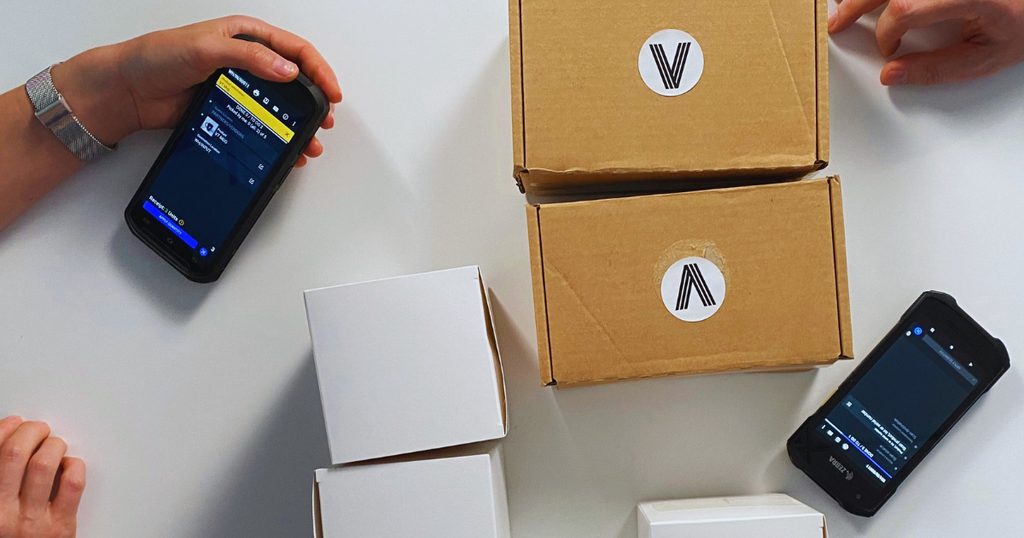
When choosing a mobile Warehouse Management System, it’s important to check whether the app supports the necessary barcode types and whether it works with your existing handheld barcode scanner, mobile computers, and smartphones. Verifying whether the app can use the device’s built-in scanner will help you to avoid purchasing additional equipment.
However, simply stating on paper that compatibility works with a specific device isn’t enough; you need to test the actual scanning speed and ease of use in a real-world work environment. Employees should be able to scan products, bins, and packages quickly and easily while they’re working.
Essential Warehouse Workflows
A wide range of operations takes place in a warehouse, and when selecting a mobile WMS for Odoo or any other system, you need to ensure that the application supports your company’s core operations. Key warehouse processes include:
- Receiving
- Putaway
- Picking
- Packing and Shipping
- Internal Transfers
- Inventory Counts and Adjustments
- Returns
- Package and Location Management
The set of required features depends on the type of business and warehouse organization. For some companies, processing returns, as well as managing packaging and warehouse locations, may also be important. Therefore, you won’t want to choose an app based solely on the number of features it offers. It’s more important that the app meets your warehouse’s current needs and allows you to add new processes and features as your business grows.

Ease of Use and Employee Training
These critical factors often determine the speed at which employees adapt, which directly affects warehouse operations and overall business efficiency. The mobile app’s interface should allow employees to perform key operations with as few steps as possible; it’s also important that it be intuitive and not cluttered with unnecessary elements. Additionally, if employees use mobile terminals or work while wearing gloves, you should check how easy the device is to operate under those conditions.
The user-friendliness of the interface strongly influences the warehouse team’s productivity and the onboarding process. For example, if confirming the receipt of a single item requires navigating between several screens or manually entering data, even a simple task will be more difficult to complete. In addition, a complex interface makes it harder to train new employees and can make everyday tasks more complicated.
Accuracy, Validation, and Error Prevention
Errors during product placement, order fulfillment, or inventory tracking lead to inaccurate inventory data, shipping delays, and additional costs. When selecting a mobile system, it’s important to look for verification mechanisms such as barcode validation and guided workflows. These help ensure that employees are performing tasks correctly at every stage of the operation. For example, if an employee scans a warehouse item that doesn’t match the current task, the system alerts them to the discrepancy and prompts them to verify their selection.
Pay close attention to how the app handles rescans, quantity discrepancies, and other non-standard situations. If your business works with products that have serial numbers or lot numbers, the mobile WMS should support their verification and tracking. You will also want to determine how easy it is to review completed transactions and identify the causes of discrepancies.

Performance, Reliability, and Scalability
Scanning items, updating inventory levels, and confirming warehouse operations shouldn’t involve long wait times or frequent glitches. It’s worth checking how the system performs during a high volume of simultaneous operations, whether it remains stable throughout an entire work shift, and what happens in the event of Wi-Fi or ERP connection issues.
As a business grows, the number of orders, employees, warehouse spaces, and daily transactions increases. Your chosen solution should be able to handle such a workload without requiring a complete overhaul of the system or a restructuring of core processes. If your warehouse operates in areas with unreliable network coverage, you should also determine in advance whether the application supports offline mode and which operations are available without an internet connection.
Customization, Support, and Total Cost of Ownership
When choosing a mobile warehouse management software, carefully explore the total cost of using the solution, not just the initial cost of the license. Assess which configurations are available without additional development, how easily workflows can be adapted to the needs of a specific warehouse, and whether they can be modified as the business grows.
You should also evaluate the terms of technical support, the frequency of updates, and compatibility with new versions of ERP systems. A real total cost may include expenses for integration, maintenance, additional equipment, staff training, and custom development. In some cases, a ready-made specialized solution may be more practical than building a custom application from scratch, especially if it supports all necessary warehouse operations.
Practical Checklist
Before choosing a mobile WMS, you will need to assess how well the solution meets the actual needs of your company’s warehouse. Make sure that your ideal solution:
- Integrates reliably with your ERP.
- Supports your scanners and mobile devices.
- Covers your essential warehouse workflows.
- Makes daily tasks fast and intuitive.
- Helps prevent scanning and inventory errors.
- Performs reliably under real warehouse conditions.
- Can scale with your business.
- Offers clear support, updates, and pricing policies.
For companies that use Odoo, a good option for mobile warehouse management is Ventor PRO, a solution for Odoo warehouse management, designed to handle day-to-day warehouse operations by scanning barcodes on Android devices. This solution combines mobile workflows with core warehouse management capabilities, helping employees perform organizational operations on the warehouse itself. When evaluating Ventor PRO, assess whether it meets your company’s specific needs, such as support for necessary processes and ease of scanning.
Conclusion
Choosing the right mobile WMS doesn’t start with comparing feature lists but instead with analyzing actual warehouse processes. It’s important to consider ERP integration, operational accuracy, user-friendliness for staff, application stability, and the potential for future scalability. If your company uses Odoo, try Ventor PRO and see how its mobile capabilities can support and enhance your warehouse processes.
Recommended articles: