
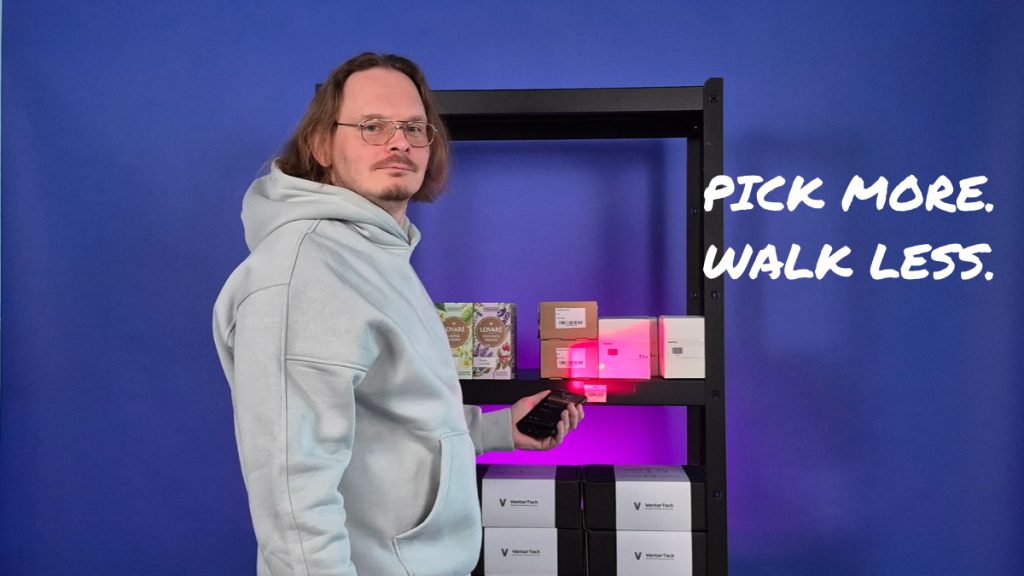
Warehouse picking can involve a surprising amount of walking. When employees process orders one by one, they may visit the same shelf repeatedly to collect products for different customers. In a warehouse with many small orders, this creates unnecessary movement and makes the picking process less efficient.
Batch Picking in Odoo helps solve this problem by combining several orders into one picking batch. Instead of completing each order separately, a warehouse employee collects products for multiple orders during a single trip through the warehouse.
With Ventor PRO, Batch Picking groups picking lines by location and aggregates product quantities, helping warehouse employees follow a more organized picking route.

What Is Batch Picking?
Batch Picking is a warehouse picking method that combines multiple orders or transfers into one batch. A picker collects the required products for all included orders during one trip instead of walking through the warehouse separately for every order.
For example, imagine that your warehouse needs to process five e-commerce orders. Each order contains a few products, and some of those products are stored in the same locations.
Without Batch Picking, an employee may have to visit the same shelf several times, once for each order.
With Batch Picking, the employee can collect the required quantities for all five orders during one visit to each relevant location. Once picking is complete, the products can be sorted during the packing operation.
This approach is particularly useful for e-commerce warehouses that regularly process multiple small orders containing matching products.
How Batch Picking Works in Ventor PRO
Ventor PRO makes it possible to combine several Odoo transfers into one batch and process them together using an Android device.
Here is how the workflow works.
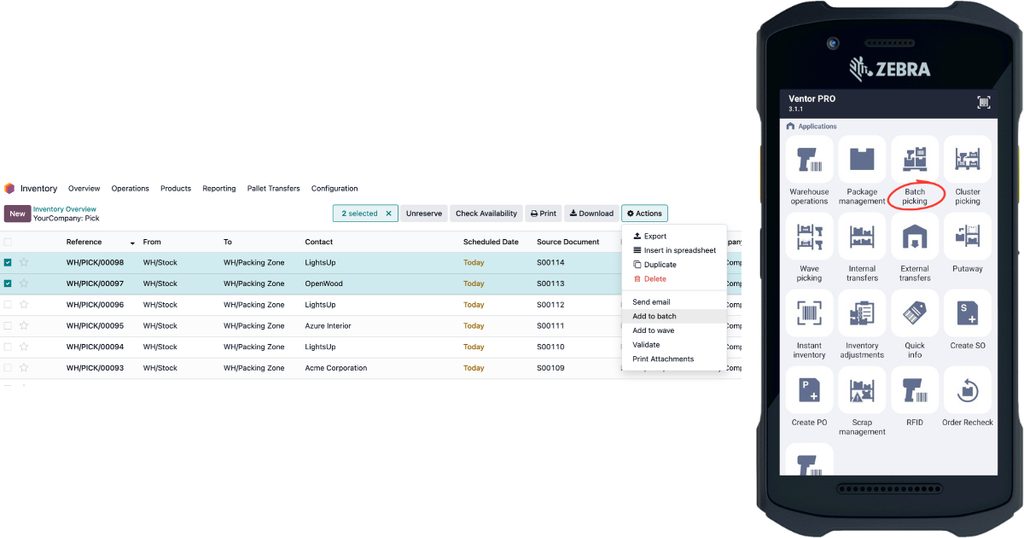
1. Combine multiple transfers into a batch
Start by preparing the Odoo transfers you want to process together.
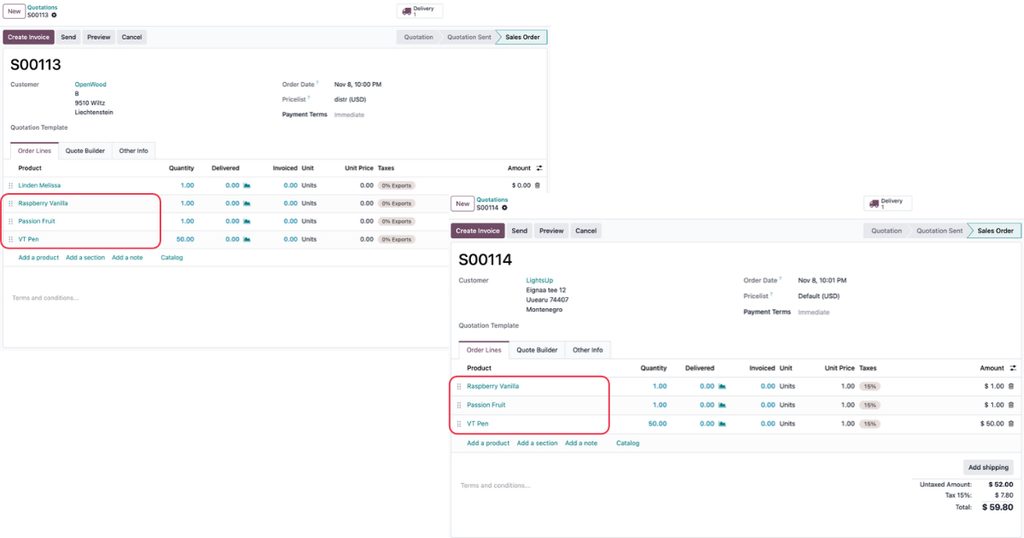
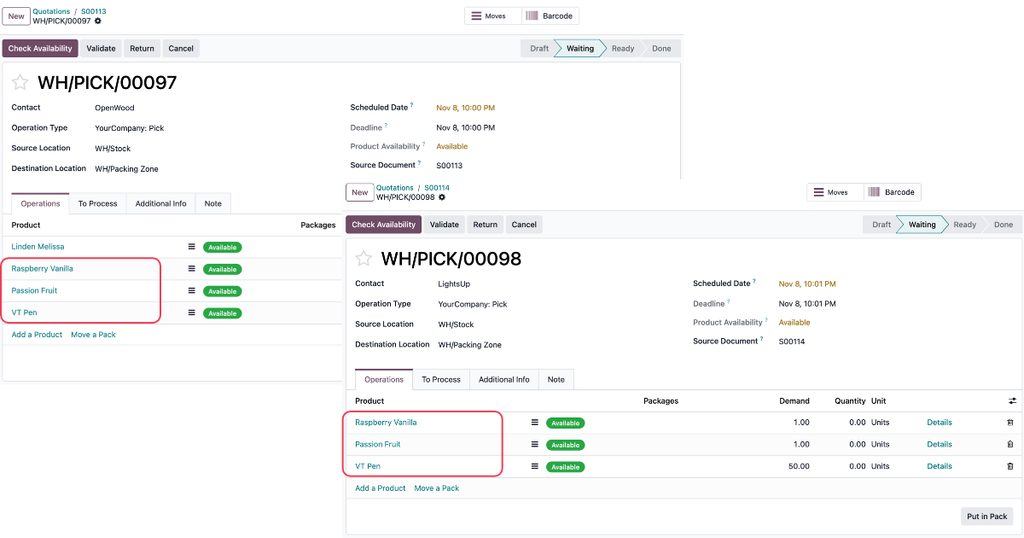
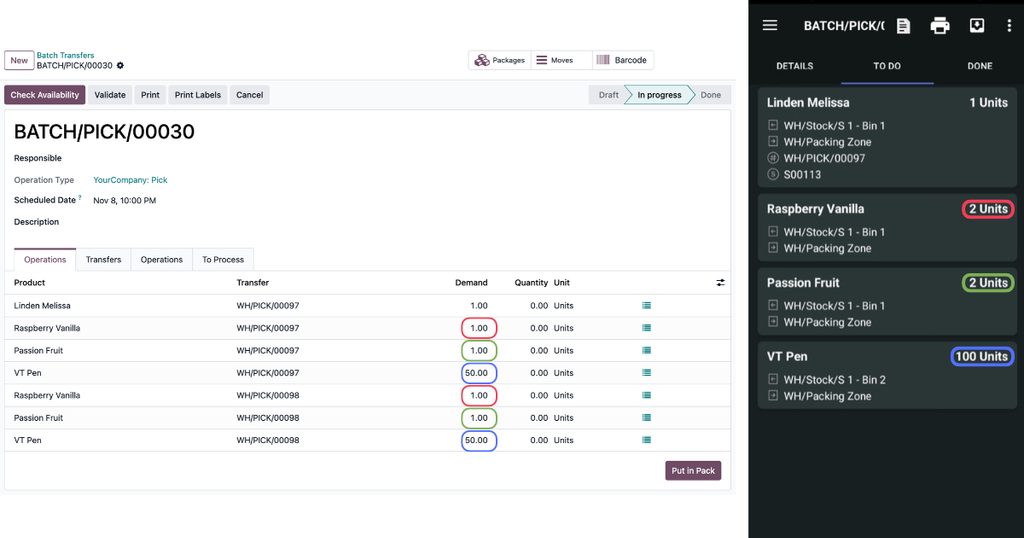
In this example, we have several transfers containing different products. Instead of opening and completing them individually, we combine them into one batch.
Once the batch is prepared, open the Batch Picking menu in Ventor PRO and select the batch you want to process.
2. Follow picking lines grouped by location
Ventor PRO organizes the picking lines by warehouse location and aggregates the required quantities.
This means that if several transfers require the same product from the same location, the picker can collect the combined quantity during one visit.
Rather than switching between individual orders, the employee follows the grouped picking lines and works through the warehouse location by location.
3. Pick products using the Ventor PRO interface
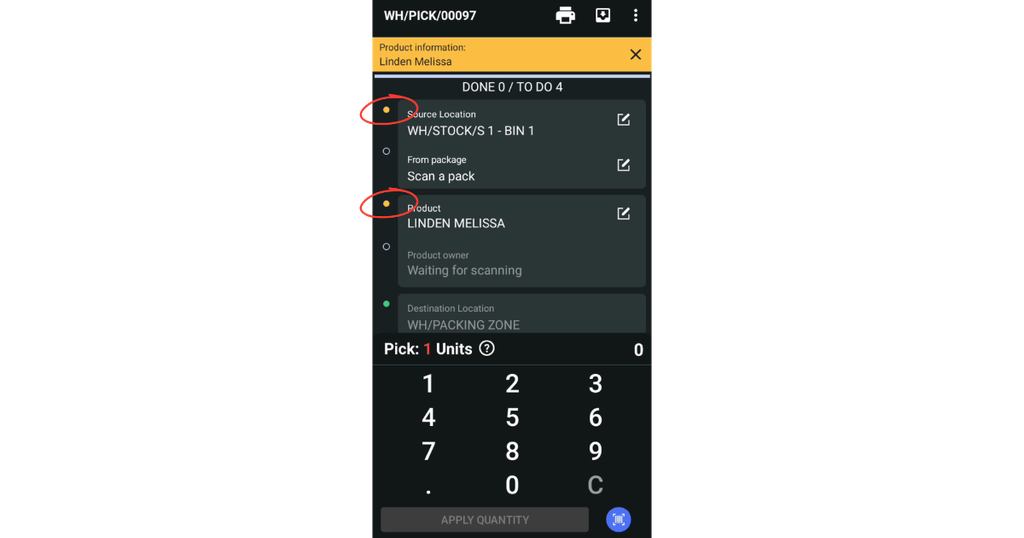
Ventor PRO provides a clear interface that guides employees through the picking process and shows what needs to be collected.
After finishing the picking lines at the first location, the employee is directed to the next one.
For this demonstration, we use settings that require confirmation of both the source location and the product. However, Ventor PRO offers multiple configuration options, so you can choose the confirmation workflow that suits your warehouse operations.
4. Complete the batch and move the cart to packing
Once all picking lines have been processed, multiple transfers are completed in a single warehouse trip.
The cart can then be sent to the packing operation, where products are sorted and prepared for individual orders.
Configure Warehouse Routing for Better Batch Picking
Batch Picking can work even better when combined with warehouse routing.
Warehouse routing helps define how products move through your warehouse and how picking operations are organized. Setting it up can help make the picking process more structured.
If you want to get the most out of Batch Picking, we recommend configuring your warehouse routing before using this workflow.
You can find the warehouse routing setup instructions here.
When Should You Use Batch Picking?
Batch Picking is especially suitable for warehouses that process many small orders with overlapping product lines.
A typical example is an e-commerce warehouse. Different customers may order some of the same products, which means employees often need to visit the same storage locations repeatedly.
By combining these orders into a batch, pickers can collect the required quantities together instead of making separate trips.
Batch Picking may be a good fit if:
- Your warehouse processes multiple small orders throughout the day.
- Different orders frequently contain the same products.
- Employees repeatedly visit the same warehouse locations.
- You want to organize picking around warehouse locations rather than individual orders.
Try Batch Picking with Ventor PRO
Batch Picking helps reduce repetitive warehouse travel by allowing employees to collect products for multiple Odoo transfers in one trip.
With Ventor PRO, picking lines are grouped by location, quantities are aggregated, and employees are guided through the picking workflow using a clear Android interface. You can also configure confirmation options to match your warehouse processes.
Want to see how it works in practice? Watch our video demonstration and try it yourself.
Take your Odoo warehouse further with Ventor PRO!